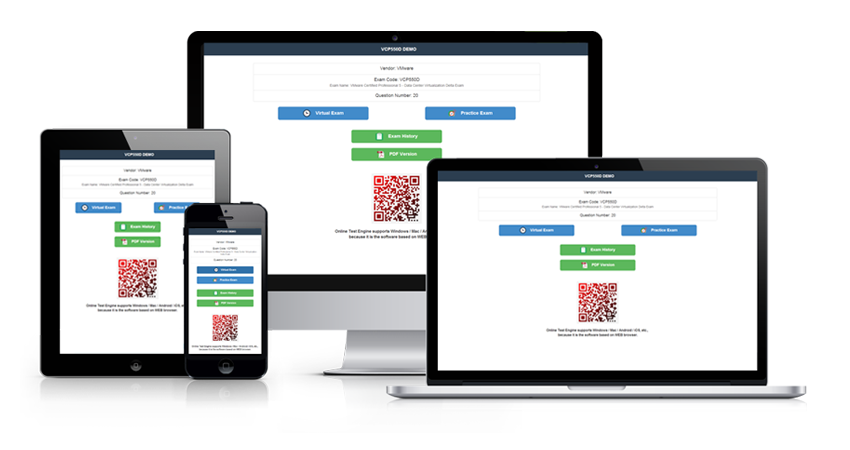
Reading notes is one thing; sitting a timed exam is another. The Actual4Exams test engines simulate the real 77-884 exam environment, so the 225 Microsoft Office Outlook 2010 Practice Test practice questions feel familiar long before test day.
Microsoft 77-884 Exam Overview:
| Certification Vendor: | Microsoft |
|---|---|
| Exam Name: | Outlook 2010 |
| Exam Number: | 77-884 |
| Available Languages: | Italian, Portuguese, Spanish, German, Japanese, French, English |
| Exam Duration: | 50 minutes |
| Passing Score: | 700 (on a scale of 1-1000) |
| Related Certifications: | Microsoft Office Specialist: Office 2010 |
| Real Exam Qty: | 30-35 performance-based tasks |
| Exam Format: | Simulations, Live application environment, Performance-based |
| Exam Price: | $100 USD |
| Certificate Validity Period: | Lifetime (no expiration) |
| Recommended Training: | MOS Outlook 2010 Study Guides Microsoft Official Courseware |
| Exam Registration: | Microsoft Exam 77-884 Page Certiport Registration (Legacy) |
| Sample Questions: |  |
| Exam Way: | Retired as of January 31, 2021; previously available via Certiport authorized centers and online proctoring |
| Pre Condition: | No formal prerequisites; recommended 6+ months hands-on experience with Microsoft Outlook 2010 |
| Official Syllabus URL: | https://learn.microsoft.com/en-us/credentials/certifications/exams/77-884/ |
Microsoft 77-884 Exam Syllabus Topics:
| Section | Weight | Objectives |
|---|---|---|
| Manage the Outlook environment | 15-20% | - Manage profiles, data files, and navigation pane - Customize the user interface and Quick Access Toolbar - Search, print, and export Outlook items - Apply and configure Outlook settings and options |
| Manage contacts and contact groups | 15-20% | - Create, edit, and update contact records - Create and manage distribution lists/groups - Customize address book views - Share, export, and import contacts |
| Manage email messages | 25-30% | - Create, reply, forward, and flag messages - Use folders, categories, and search folders - Organize, sort, filter, and archive messages - Manage rules, junk email, and security settings |
| Create and format item content | 25-30% | - Attach files and items - Manage signatures, themes, and stationery - Insert and modify tables, charts, images, and SmartArt - Format text, paragraphs, and styles |
| Work with tasks, notes, and journal entries | 5-10% | - Create, assign, and update tasks - Create and manage notes - Record and view journal entries |
| Manage calendar objects | 15-20% | - Share, publish, and delegate calendar access - Schedule resources, send invitations, and track responses - Display multiple calendars and change views - Create and modify appointments, meetings, and events |
Microsoft Office Outlook 2010 Practice Test (77-884) — Questions Candidates Actually Ask
The 77-884 exam, officially known as Microsoft Office Outlook 2010 Practice Test, is the Microsoft test that leads to the Microsoft Office Specialist (MOS) - Outlook 2010 certification at the Specialist / Intermediate level. Passing it validates the skills employers expect from a certified professional. It is also associated with related credentials such as Microsoft Office Specialist: Office 2010.
The 77-884 exam contains 30-35 performance-based tasks questions, and you have 50 minutes to complete them. Work out your per-question pace before test day, and flag slow items instead of stalling on them — time pressure, not knowledge, sinks many first attempts. Timed mock exams in the Actual4Exams test engines are the most reliable way to build that rhythm.
The passing score for the 77-884 exam is 700 (on a scale of 1-1000), and the official registration fee is $100 USD. If you miss the mark, a retake means paying the full fee again, so book your seat only when you are ready. A practical benchmark: score consistently above the passing line on timed practice tests before scheduling the real exam.
No formal prerequisites; recommended 6+ months hands-on experience with Microsoft Outlook 2010
Entry requirements can change, so confirm the latest conditions on the official exam page: https://learn.microsoft.com/en-us/credentials/certifications/exams/77-884/.
You can book the 77-884 exam through the official registration channels below:
Exam delivery: Retired as of January 31, 2021; previously available via Certiport authorized centers and online proctoring. Seats at popular test centers fill quickly, so schedule early once your preparation is on track.
Microsoft recommends the following training options for Microsoft Office Outlook 2010 Practice Test candidates:
Pair any course with the 225 practice questions from Actual4Exams to measure how ready you really are before paying the exam fee.
Yes. A free PDF demo of the Microsoft Office Outlook 2010 Practice Test questions is available, so you can check the question style and answer quality before you pay. Every purchase also includes 365 days of free updates, and if the product expires you can renew the update service at a 50% discount from your member zone.
If you take the corresponding 77-884 exam within 60 days of purchase and do not pass, you can apply for a full refund under the 100% Money Back Guarantee: submit a scan of your enrollment slip and your official Score Report (PDF) within 2 days of the exam date, and the claim is processed within 7 days. Attempts made within 3 days of purchase, downloads without an actual exam attempt, free materials, and expired orders are not eligible, and the candidate name must match the payer name. Prefer new material instead of a refund? You can exchange your purchase for two free products of equal value and keep the update service on your original product. As for delivery, the files are available for instant download and are also emailed to you within one minute of payment — if nothing arrives within 2 hours, contact customer service. There is no limit on how many computers you can install the product on.
The official Microsoft Office Outlook 2010 Practice Test outline is organized into 6 domains. The first three are:
- Manage email messages — 25-30% of the exam
- Manage calendar objects — 15-20% of the exam
- Work with tasks, notes, and journal entries — 5-10% of the exam
See the complete exam topics section above for the full outline and the weighting of every domain.
Microsoft Office Outlook 2010 Practice Test Sample Questions:
Question 1
You work as a System Analyst for White Well Inc. You use Microsoft Outlook for messaging and emailing. MS Outlook has been configured to use a POP3account. You want to achieve the following goals:
1.View the first three lines of the messages in the main Outlook window so that you can scan the messages and preview their contents without opening them along with the sender's name and the subject line.
2.Display a row at the top of a table for entering new items.
3.Hide the divider information between the preview pane and item list. What actions will you perform in the given dialog box to accomplish the task?
Question 2
You work as a System Analyst for InfoTech Inc. You are using Microsoft Outlook 2010 for messaging and e-mailing. MS Outlook has been configured to use an Exchange account.
You compose an e -mail to the employees of a company. The e-mail provides information about the new policies of the company. After successfully composing the e-mail, you want to send a presentation file named "Presentation1". The presentation file comprises some business policy slides.
You want to send the presentation file with the e-mail, so that it can be used as a part of the e-mail message. You have to attach the presentation file to the e-mail.
Choose and reorder the necessary steps to accomplish this task.
Build List and Reorder:
Question 3
You work as a System Analyst for Blue Well Inc. You use Microsoft Outlook 2010 for messaging and emailing. MS Outlook has been configured to use a POP3 account. You publish a calendar to Microsoft Office Online.
You want to ensure that the calendar will be shared on Office Online, which contains data from previous 30 days through next 90 days from the current date.
Which of the following actions will you take to accomplish the task?
A. Change the detail range of the calendar.
B. Change the time range of the calendar.
C. Change the time span of the calendar.
D. Change the time scale of the calendar.
Question 4
You work as an Office Assistant for InfoTech Inc. You are composing an email message to send it to the managers of your company.
You want to add a bookmark in the email message so that the recipients can reach the detail of each manager in the email easily.
Which of the following will you use to create a bookmark in the email message?
A. SmartArt
B. Macro
C. Action buttons
D. Hyperlink
Question 5
Mark works as a System Analyst for InfoTech Inc. He uses Microsoft Outlook 2010 for messaging and e-mailing. MS Outlook has been configured to use an Exchange account. He wants to create a quick step named FwD.emp, so that he can quickly and easily manage his mailbox by using the shortcut key combination Ctrl + Shift + F9. He wants the following actions to be automated by the quick step:
1.A reply via an e-mail to [email protected] with a high importance meeting request.
2.Send an e-mail with the Subject: URGENT MEETING.
3.Send an e-mail with the Location: San Fransisco.
4.Send an e-mail with the text: "Meeting with Latest Updates on Sales".
5.Send an e-mail with a small "hover box" containing the following information about the item being
hovered over:
"This quick step will reply to this email with a meeting request to all members" Which actions will he perform
in the Edit Quick Step dialog box to create the quick step?
Solutions:
| Question 1 Answer: Only visible for members | Question 2 Answer: Only visible for members | Question 3 Answer: C | Question 4 Answer: D | Question 5 Answer: Only visible for members |

No help, Full refund!
Actual4Exams confidently stands behind all its offerings by giving Unconditional "No help, Full refund" Guarantee. Since the time our operations started we have never seen people report failure in the Microsoft 77-884 exam after using our products. With this feedback we can assure you of the benefits that you will get from our products and the high probability of clearing the 77-884 exam.
We still understand the effort, time, and money you will invest in preparing for your certification exam, which makes failure in the Microsoft 77-884 exam really painful and disappointing. Although we cannot reduce your pain and disappointment but we can certainly share with you the financial loss.
This means that if due to any reason you are not able to pass the 77-884 actual exam even after using our product, we will reimburse the full amount you spent on our products. you just need to mail us your score report along with your account information to address listed below within 7 days after your unqualified certificate came out.