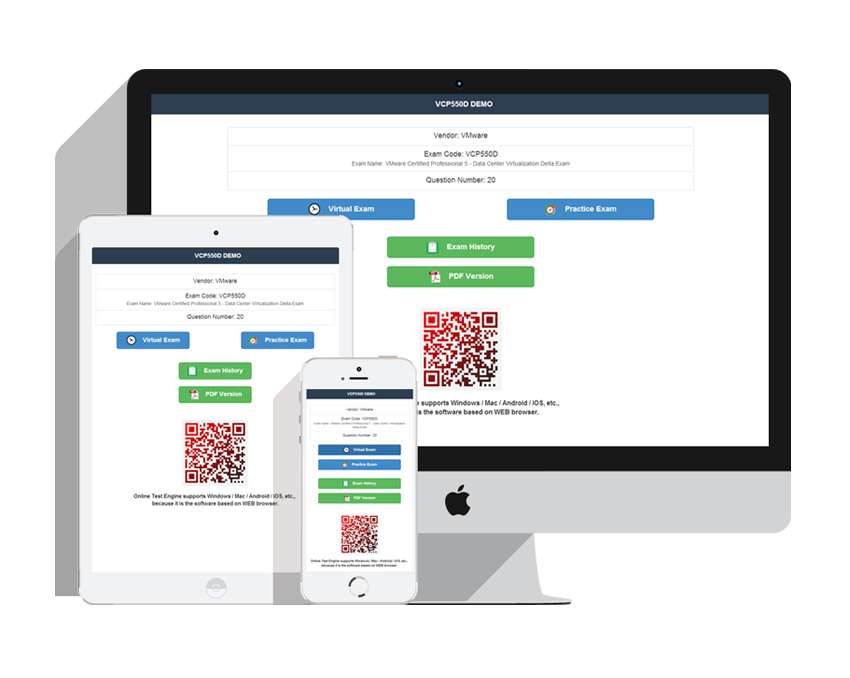
Randomized questions, a countdown clock, score history after every attempt: the Actual4Exams test engines turn Microsoft Pro: Windows 7, Enterprise Desktop Administrator practice into a rehearsal of the real 070-686 experience, weak spots included.
Microsoft 070-686 Exam Overview:
| Certification Vendor: | Microsoft |
|---|---|
| Exam Name: | Pro: Windows 7, Enterprise Desktop Administrator |
| Exam Number: | 70-686 |
| Available Languages: | English, Chinese (Simplified), German, French, Japanese |
| Exam Format: | Scenario-based Questions, Case Study, Multiple Choice |
| Related Certifications: | Microsoft Certified Technology Specialist (MCTS) Microsoft Certified IT Professional (MCITP) Enterprise Desktop Administrator |
| Passing Score: | 700 (scaled score typical for Microsoft legacy exams) |
| Sample Questions: |  |
| Exam Way: | Pearson VUE proctored exam (legacy Microsoft certification exam format) |
| Pre Condition: | Recommended experience with Windows desktop administration, Windows Server environments, and enterprise IT infrastructure. |
| Official Syllabus URL: | https://learn.microsoft.com/en-us/credentials/certifications/exams/70-686 |
Microsoft 070-686 Exam Syllabus Topics:
| Section | Objectives |
|---|---|
| Topic 1: Managing Security | - BitLocker and file system security - User Account Control (UAC) configuration - Security policies and Group Policy Objects (GPOs) |
| Topic 2: Deploying Operating Systems and Applications | - Image creation and management - Application packaging and deployment strategies - Windows 7 deployment using automated tools (WDS, MDT) |
| Topic 3: Managing Devices and Drivers | - Hardware inventory and asset management - Peripheral and device configuration - Device driver management and compatibility |
| Topic 4: Planning and Managing the Desktop Environment | - Planning application compatibility strategies - Assessing desktop deployment requirements - Designing desktop deployment methods |
| Topic 5: Managing Network Connectivity and Access | - Remote access and VPN configuration - Network configuration and troubleshooting - Domain integration and authentication |
| Topic 6: Monitoring and Maintaining Systems | - Backup and recovery strategies - Patch management and Windows Update Services - Performance monitoring and troubleshooting tools |
070-686 Exam Questions Answered: Microsoft Candidates' FAQ
Microsoft Pro: Windows 7, Enterprise Desktop Administrator is an official exam run by Microsoft under exam code 070-686. Passing it awards the MCSE certification, which sits at the Professional tier. It also counts toward related credentials such as Microsoft Certified Technology Specialist (MCTS), Microsoft Certified IT Professional (MCITP) Enterprise Desktop Administrator. Certified professionals remain in shorter supply than the market wants, which is precisely why this exam keeps showing up in conversations about better roles and better pay.
Recommended experience with Windows desktop administration, Windows Server environments, and enterprise IT infrastructure.
Vendor rules do get revised, so treat this as your starting point and confirm the current eligibility details before booking via the official exam page.
It is. Actual4Exams publishes a free PDF demo of the Microsoft Pro: Windows 7, Enterprise Desktop Administrator material, so the product can prove itself before you pay. Your purchase then comes with 365 days of free updates, and once that period ends, extending the update service costs 50% of the regular price. The test engine software itself is verified malware-free and safe to install.
Actual4Exams stands behind the product with a 100% money-back guarantee under defined conditions. If you take the Microsoft Pro: Windows 7, Enterprise Desktop Administrator exam within 60 days of purchase and fail, you qualify for a full refund, provided the exam corresponds to your product. Sitting the exam within 3 days of purchase does not qualify, and neither do unused downloads, free materials, or expired orders; the candidate name must match the payer name. Submit a scanned enrollment slip and the official Score Report PDF within 2 days of the exam, and claims are resolved within 7 days. You may also choose an exchange instead of a refund: two other exam products of equal value, free, with the update service on your original purchase retained.
Delivery takes about a minute. Files unlock for instant download at payment and are emailed to you automatically; if 2 hours pass with nothing received, check spam and contact customer service. There is no installation limit, so the test engine can live on every device you own, phone included.
Microsoft Pro: Windows 7, Enterprise Desktop Administrator breaks down into 6 official domains, led by Managing Network Connectivity and Access, Planning and Managing the Desktop Environment, and Monitoring and Maintaining Systems. You will find the full topic-by-topic outline above on this page; use the weightings to budget your study hours where they pay back the most.
Microsoft Pro: Windows 7, Enterprise Desktop Administrator Sample Questions:
You are planning a migration to Windows 7.
You need to recommend applications that obtain a list of software installed on client computers.
Which applications should you recommend? (Choose all that apply.)
- A. windows User State Migration Tool (USMT)
- B. Sysprep
- C. Microsoft Assessment and Planning Toolkit (MAP)
- D. Microsoft Application Compatibility Toolkit (ACT)
- E. Microsoft Deployment Toolkit (MDT)
- F. Windows System Image Manager (Windows SIM)
You are planning a Windows 7 deployment infrastructure. You have the following requirements:
Enable network deployments of WIM images or VHDs.
Support multicast with the use of multiple stream transfer functionality.
Allow drivers to be stored centrally, and use dynamic driver provisioning.
You need to design an infrastructure that meets the requirements.
Which deployment method should you recommend?
- A. Microsoft Deployment Toolkit (MDT) 2008
- B. Microsoft Deployment Toolkit (MDT) 2010
- C. Windows Deployment Services in Windows Server 2008 R2
- D. Deployment Image Servicing and Management (DISM)
Your company has a single Active Directory Domain Services (AD DS) domain and 1,000 Windows 7 computers.
You are planning to deploy a custom application.
You need to schedule the deployment to occur outside of business hours and without user interaction.
Which deployment method should you choose?
- A. Software installation with Group Policy
- B. Microsoft Application Virtualization (App-V)
- C. Software deployment with Microsoft System Center Configuration Manager 2007
- D. Lite Touch Installation
Your company has a single Active Directory Domain Services (AD DS) domain and 1,000 Windows Vista
computers.
You are planning to deploy Windows 7 and a custom application.
You have the following requirements:
The application must be available to only a specific group of users.
You must be able to monitor application usage.
You need to design a deployment method for the custom application that meets the requirements.
Which deployment method should you use in your design?
- A. Microsoft Application Virtualization (App-V)
- B. Software installation in Group Policy
- C. Startup scripts in Group Policy
- D. Baseline Windows 7 image that includes the custom application
Explanation: Only visible for Actual4Exams members. You can sign-up / login (it's free).
Topic 1, Company One
This question is one in a series of questions that all present the same scenario. For your convenience, the
scenario is repeated in each question. (Click the Case Study button.)
Each question presents a different goal and answer choices, but the text of the scenario is exactly the same
in each question in this series.
Your company's computers experience malware infections as a result of using unsafe ActiveX controls.
You need to update the client computer settings to follow the company policy.
What should you do?
Company, Inc. (Case Study): Background
You are the desktop architect for a company with 14,000 client computers. Some client computers are portable computers and some are desktop computers. All client computers currently run Windows XP.
You are in the evaluation phase for upgrading to Windows 7. Approximately half of the Carlsbad and Madrid offices are used by sales employees. Sales employees report to the office only once per quarter. Your company has users in offices as shown in the following table.
The address for the SharePoint site is https://intranet.company.com.
Each location has gigabit network connections to the desktop except Madrid, which has 100 megabit connections. Each office has a Dynamic Host Configuration Protocol (DHCP) server and uses multiple VLANs.
You use Group Policy objects (GPOs) to manage various settings. The following figure displays the Organizational Unit (OU) layout for the Active Directory Domain Services (AD DS) domain.
Each office has two connections, a data center WAN link and an Internet connection. Each office connects to a central data center facility with connection speeds as shown in the following table.
You currently use one of each client computer model to create and maintain a disk image for each model. The models supported by your company are listed in the following table.
You currently use a third-party disk imaging application to capture and deploy new Windows XP computers.
Desktop administrators use optical media to deploy the image to new or repurposed client computers. The current Windows XP image is about 11 GB in size, which includes 2 GB of applications and 9 GB of Windows XP files.
Business Requirements
The deployment of Windows 7 must meet the following business requirements:
Deployment requirements
The deployment must maximize the use of existing client computers. The deployment must reduce the amount of time spent updating client computers after deployment.
Technical Requirements
The application must meet the following technical requirements:
Infrastructure requirements
The amount of disk space required to store deployment images must be reduced. The number of images that need to be copied across WAN links must be reduced. You are based in the Los Angeles office and use the Microsoft Deployment Toolkit. You have a file server hosting a deployment share in Los Angeles.
Application compatibility
All current applications must be supported on Windows 7.
All offices are moving to a new finance application in the next six months. The new finance application
installs and runs correctly on Windows 7.
Migration requirements
The deployment cannot require users to store their files on a network or external drive for the migration. Only system administrators can be allowed to install applications. User data must be migrated during upgrades to Windows 7. There is a small budget for hardware upgrades when required.
Image maintenance
You need to minimize the re-arm passes.
Security
Each location has a security group made up of the desktop computer objects in that location. Users must
not be able to change their web browser or client computer security settings.
Your requirements are as follows:
A startup PIN and TPM are required for all BitLocker users.
Local regulations prohibit the use of BitLocker for all computers in the Munich office. This supersedes any other requirement.
All laptops within the company must have BitLocker enabled.
All Madrid desktops must have BitLocker enabled.
No other desktops besides Madrid should have Bitlocker enabled.
Computers in office lobbies are not permitted to join the domain.
You need to block the use of ActiveX controls for all external websites.
- A. Upgrade all users to Internet Explorer 9. Use a GPO to change the default setting of the Internet security zone to high. Add all internal web addresses to the Trusted Sites list.
- B. Upgrade all users to Internet Explorer 9. Use a GPO to change the default setting of the Trusted Sites security zone to block ActiveX controls for all websites. Add all internal web addresses to the Trusted Sites list.
- C. Use a GPO to change the default setting of the local intranet security zone to medium-low. Add all internal web addresses to the Trusted Sites list.
- D. Create a GPO that enables the Disable add-on performance notifications setting. Link it to the OU for each site.

No help, Full refund!
Actual4Exams confidently stands behind all its offerings by giving Unconditional "No help, Full refund" Guarantee. Since the time our operations started we have never seen people report failure in the Microsoft 070-686 exam after using our products. With this feedback we can assure you of the benefits that you will get from our products and the high probability of clearing the 070-686 exam.
We still understand the effort, time, and money you will invest in preparing for your certification exam, which makes failure in the Microsoft 070-686 exam really painful and disappointing. Although we cannot reduce your pain and disappointment but we can certainly share with you the financial loss.
This means that if due to any reason you are not able to pass the 070-686 actual exam even after using our product, we will reimburse the full amount you spent on our products. you just need to mail us your score report along with your account information to address listed below within 7 days after your unqualified certificate came out.